DPI Checker
Move your mouse an exact physical distance and this tool counts what the sensor reported - counts divided by inches is your true DPI, whatever the driver box claims.
DPI checker
Your mouse reports a fixed number of counts per physical inch. Move it exactly the distance you enter below and this tool counts the report: counts ÷ inches = DPI.
– DPI
Counts: 0 · Pointer speed preset: –
Windows: Settings → Mouse → pointer speed at the 6th of 11 notches. macOS: tracking speed at default.
How to get an accurate measurement
- Set the OS pointer speed to default - on Windows the slider has 11 notches and the 6th is neutral; on macOS, set tracking speed to the middle. Acceleration rescales your movement and ruins the count.
- Measure a real distance. 15 cm (6 inches) on a desk edge or a ruler is plenty; longer distances average out human wobble better.
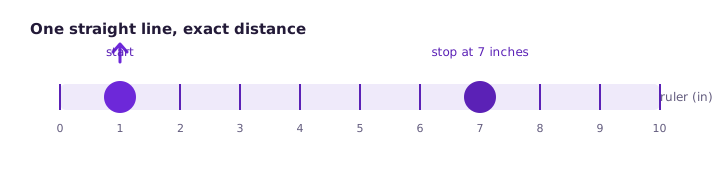
- Start, move exactly that distance in one straight line, stop. The counter adds every direction you move, so straightness matters more than speed.
What the number means
| DPI on the sensor | Fits | Feel |
|---|---|---|
800 | Office & browsing | Slower, precise pointer travel |
1600 | Everyday + casual games | Balanced speed, most 1080p players |
3200 | Fast FPS tracking | Quick turns, needs aiming control |
5000+ | High-res / multi-monitor | One-flick screen traversal |
Your measured value is the sensor's effective counts per inch at its current setting - which is exactly the number that matters when you copy a pro player's sensitivity or set up multiple monitors. If the measured DPI is wildly off from the driver setting, first check for a vendor profile overriding it; a sensor that skips counts at speed instead points to a cheaper sensor struggling with fast flicks, which the lag fix guide covers under hardware limits.
Frequently asked questions
What does DPI mean on a mouse?
Dots per inch: how many sensor counts the mouse reports for every physical inch of travel. A mouse set to 1600 DPI moves the pointer 1600 counts per inch - higher numbers mean the same hand movement moves the pointer further.
Why does my measured DPI differ from the setting?
Three normal reasons: OS pointer acceleration rescales the path before the sensor is read, the driver profile overrides the hardware DPI, and cheap sensors skip counts at speed. Measure with acceleration off and the OS slider at its default notch for the true number.
What DPI should I use?
There is no correct answer - 800-1600 covers most desk setups, and competitive FPS players tend to sit low (400-800) for precise aiming while MOBA and RTS players run higher for map speed. The table above matches ranges to uses.
Is higher DPI better?
Marketing made it a spec war; in practice anything above your monitor width in counts is already more precision than the screen can show. Beyond ~3200, extra DPI only matters on very high resolutions or for snappy desktop navigation.
Does this test work on a trackpad?
No - trackpads report gestures, not sensor counts. The DPI checker needs a real mouse moved across a physical surface.